Plan the day. Track the work. Own the data.
Focalslate puts today's tasks, a focus timer and your top three priorities on one screen. Your data lives in one file, in a folder you choose. Pay once for Premium, or use Standard free.
Runs in your browser. No account, no install required.
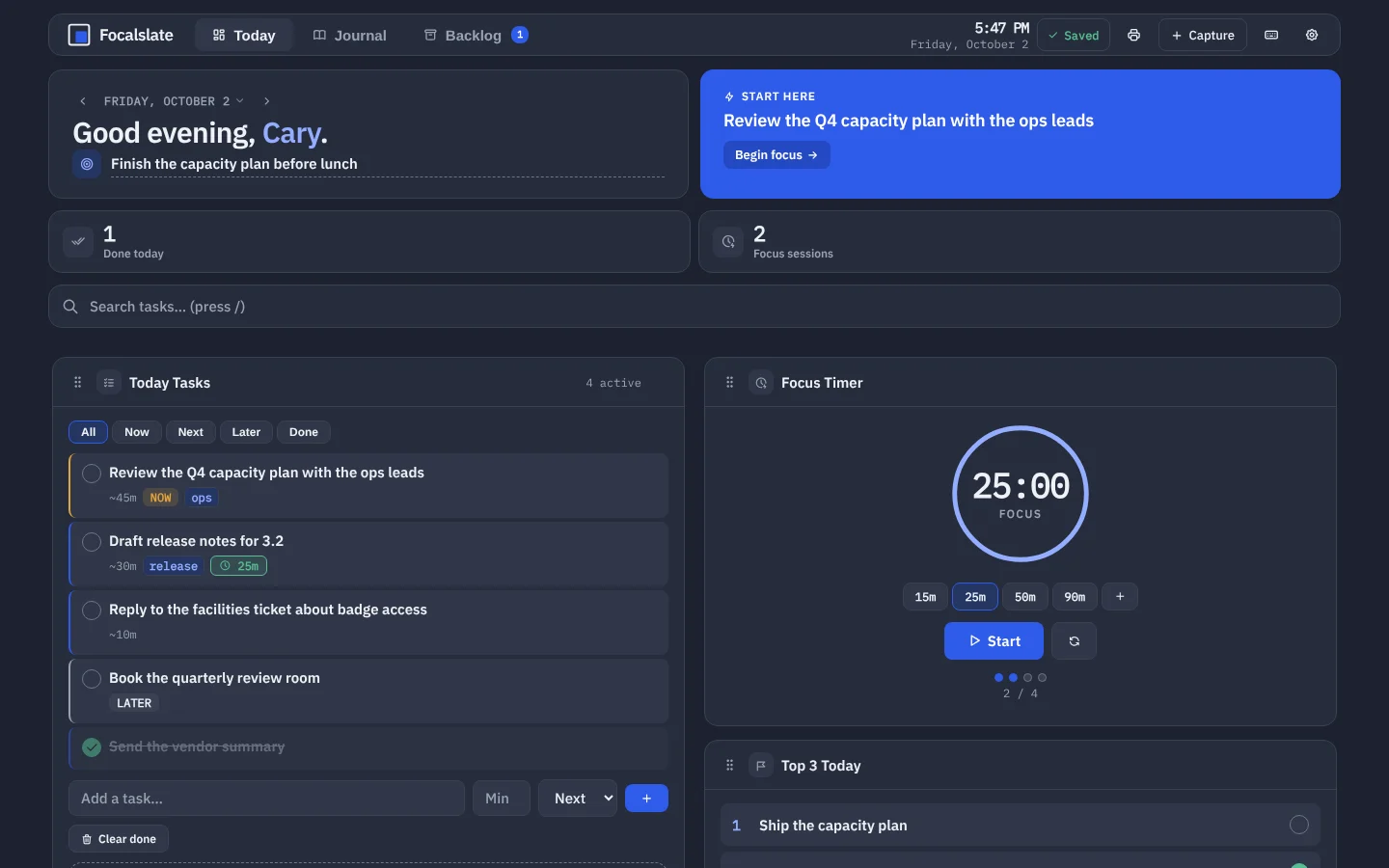
One screen for the working day.
The default view is the work: what to do, what to do first, and a timer to do it with. Everything else is one click away in More cards.
Tasks with a clear first move
Sort the day into Now, Next and Later. The task at the top becomes Start here, and one press begins a focus session on it.
A focus timer that knows the task
15, 25, 50 or 90 minutes, or your own lengths. Sessions count toward the day and land in the journal.
Your folder, your file
Everything saves to
focus-data.jsonin a folder you choose — local, or inside a cloud-drive folder you already use.Keyboard first, screen-reader ready
Space starts the timer, N adds a task, Q captures a thought, T switches dark and light. Core actions work from the keyboard, and controls are labelled for screen readers.
Journal and backlogHistory in Premium
Each day is kept with its tasks, notes and sessions. Move unfinished work to the backlog and pick it up when it fits.
Built for a second monitor.
Calm surfaces, one accent, and type that stays readable at a glance. Dark by default, with an equal light theme.
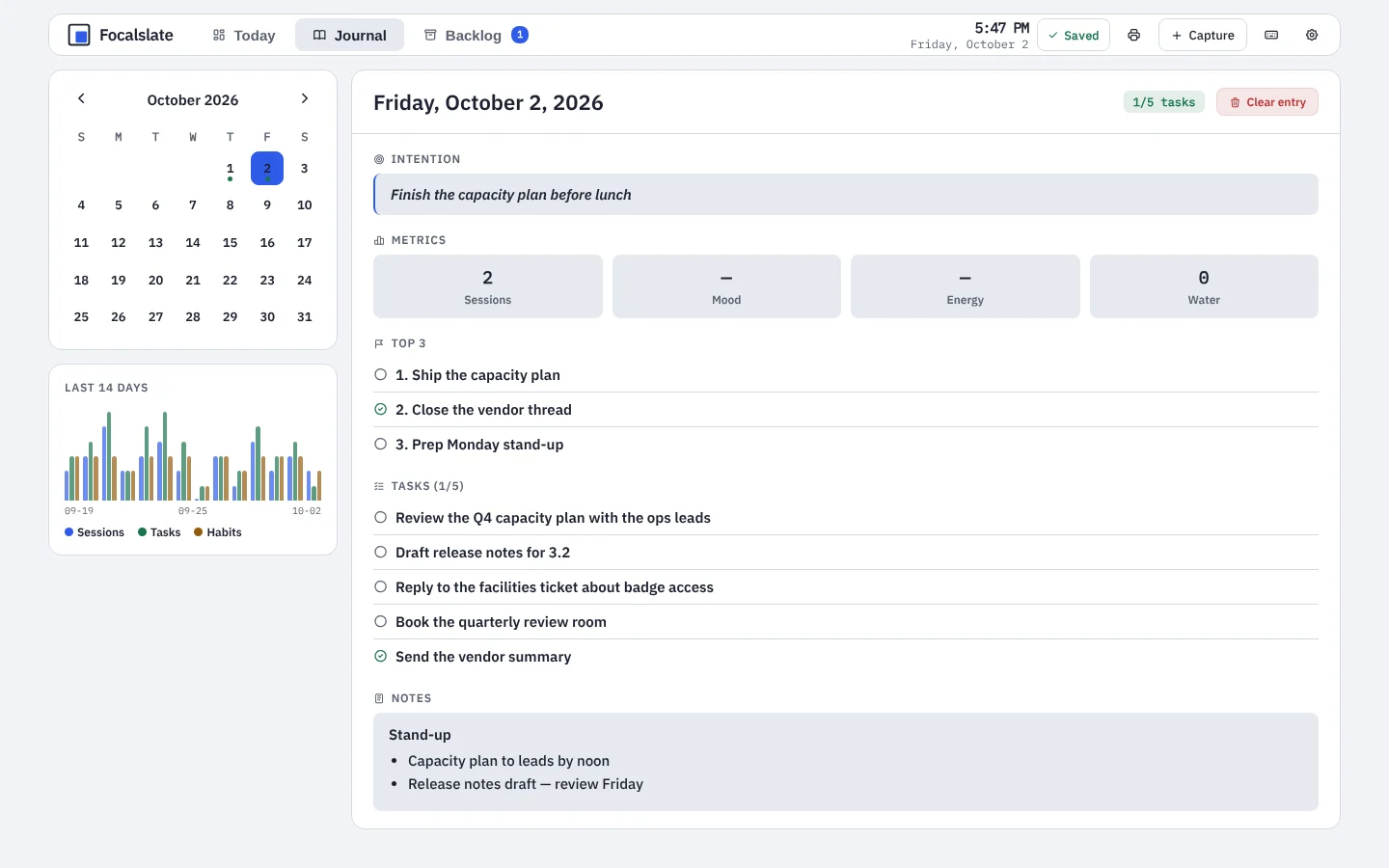
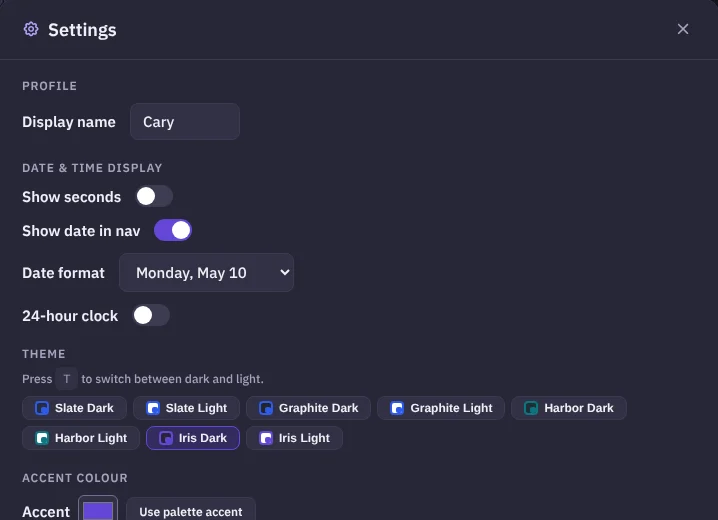
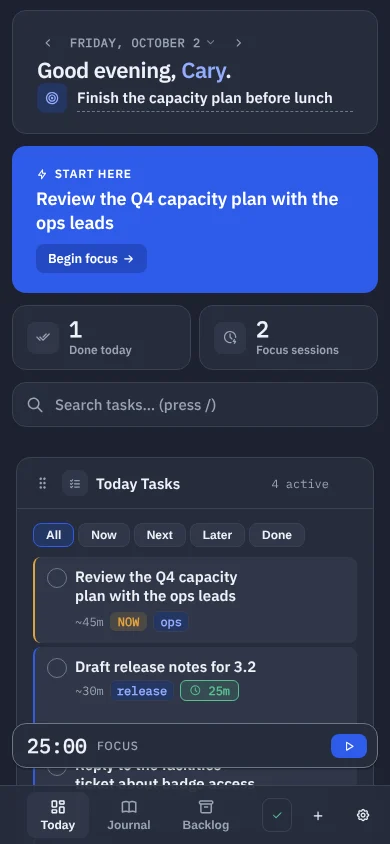
Three steps, then it stays out of the way.
Choose a folder
Pick a folder on this computer or inside a cloud drive. Focalslate creates
focus-data.jsonthere.Plan the day
Add tasks, mark what is Now, and write your top three. Start here shows where to begin.
Track the work
Run focus sessions, tick tasks off, and let the journal keep the record.
Your data is a file you own.
Not a database you rent. You can read it, back it up, move it and delete it with the tools you already have.
One readable file
focus-data.json is plain JSON. Export a copy any time from Settings.
No account
No sign-up, no password, no profile. Premium is a license key, checked once with Gumroad.
Nothing on a server
Your tasks and notes never leave your device except through the folder sync you choose.
Pay once, or not at all.
Standard
Free
The focused day, with no time limit.
- Up to 5 active tasks, with Now / Next / Later
- Focus timer and Top 3 priorities
- Notes, Brain Dump, Wellness and Longterm cards
- Up to 3 habits, 2 countdowns and 2 custom cards
- Today's journal entry and the backlog
- Folder, cloud-folder or browser storage
- Slate Dark and Slate Light
Premium
$19 one time
Everything, for as long as you use it.
- Everything in Standard
- Unlimited tasks, habits, countdowns and custom cards
- Day view: plan and review any day from the dashboard
- Full journal history and 14-day trend charts
- Six more palettes and a custom accent colour
Already bought Premium? Open Focalslate, go to Settings → About, and enter the key from your Gumroad receipt.
Questions
Where is my data stored?
In one file, focus-data.json, in the folder you pick the first time you open Focalslate. The app saves to it as you work and keeps a rolling backup beside it. Nothing is sent to a server; there is no account.
Can I use it on more than one computer?
Yes. Put the folder inside OneDrive, Google Drive, iCloud Drive or Dropbox and their desktop app keeps the file in step. If two devices change the file at once, Focalslate asks which version to keep and saves the other as a dated copy, so nothing is overwritten.
Which browsers does it work in?
Saving straight to a folder needs Chrome or Edge on a desktop. In Safari and Firefox, and on iPhone and iPad, Focalslate opens your file and saves it back when you choose, so the file stays yours there too.
Does it work offline?
Yes. After the first visit the app runs without a connection, and you can install it from the browser like any other app. Updates download in the background and wait until you choose to reload.
What does Premium cost, and is it a subscription?
Premium is a one-time purchase of $19 through Gumroad. There is no subscription and nothing renews. Your license key unlocks Premium in Settings → About; it is checked once with Gumroad when you enter it. Purchases are covered by a 30-day guarantee.
What happens to my data if I never upgrade?
Nothing changes. Standard has no time limit, and every entry you make stays in your file whether or not you buy Premium.
I used the earlier version of this app. How do I move?
Open the earlier version, choose Settings → Export JSON, then open Focalslate and choose Open file in Settings → Storage. If you already keep your data in a folder, choose that same folder here and Focalslate reads it.